What is a before and after photo template?
It is a prepared two-photo layout with slots, spacing, labels, and frame styling for a comparison image.
A good template gives the two photos room to do the work. Use clean spacing, readable labels, and a frame that fits where the final image will be shared.
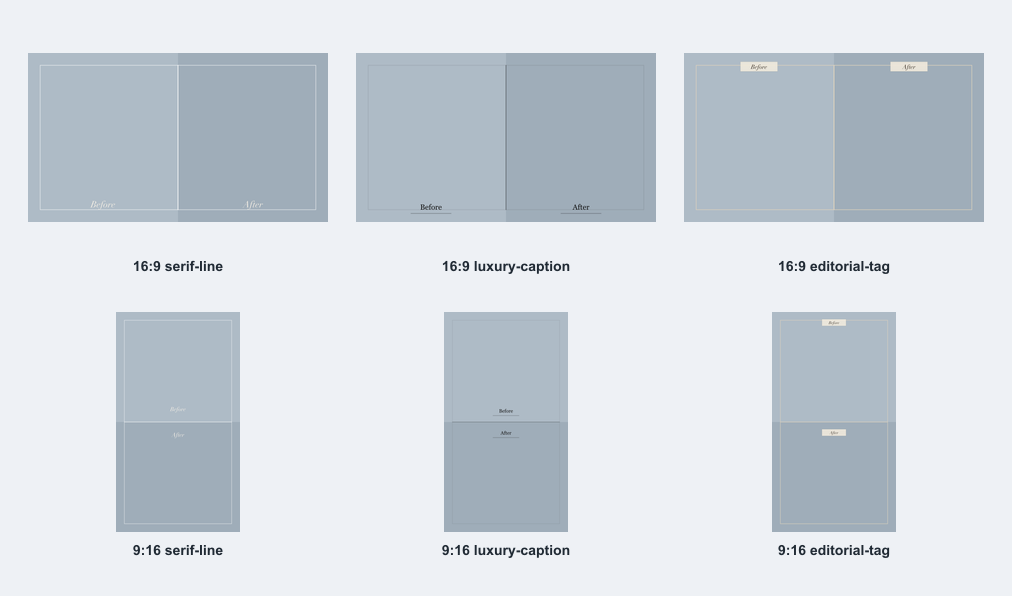
Landscape templates work well for web pages and project notes. Vertical templates work well for stories and phone-first sharing.
Labels should be short, visible, and placed consistently so viewers understand the comparison quickly.
For a set of images, repeating the same frame style can make the collection feel cleaner.
It is a prepared two-photo layout with slots, spacing, labels, and frame styling for a comparison image.
Choose landscape for websites and horizontal posts. Choose vertical for stories and mobile-first sharing.
Yes. The same simple frame can work for rooms, edits, progress photos, and restoration examples.
Use a vertical before and after photo template for mobile stories, progress posts, portrait comparisons, and phone-first sharing.
Open pageLandscape templateUse a landscape before and after photo template for websites, room makeovers, renovation projects, edit comparisons, and wide posts.
Open pageFree toolUse a free before and after photo maker to combine two pictures into one clean side-by-side PNG with crop controls, labels, and simple frames.
Open page